
From SEO Audits to Real-Time Insights: A Practical FrictionLabs Workflow
Managing a website today involves much more than simply publishing pages and waiting for traffic.
Businesses need to understand whether their pages are indexed, how their keywords are performing, whether their website is fast enough, where technical SEO issues exist, how advertising campaigns are performing and what is changing over time.
The challenge is that these insights are often spread across different tools and dashboards.
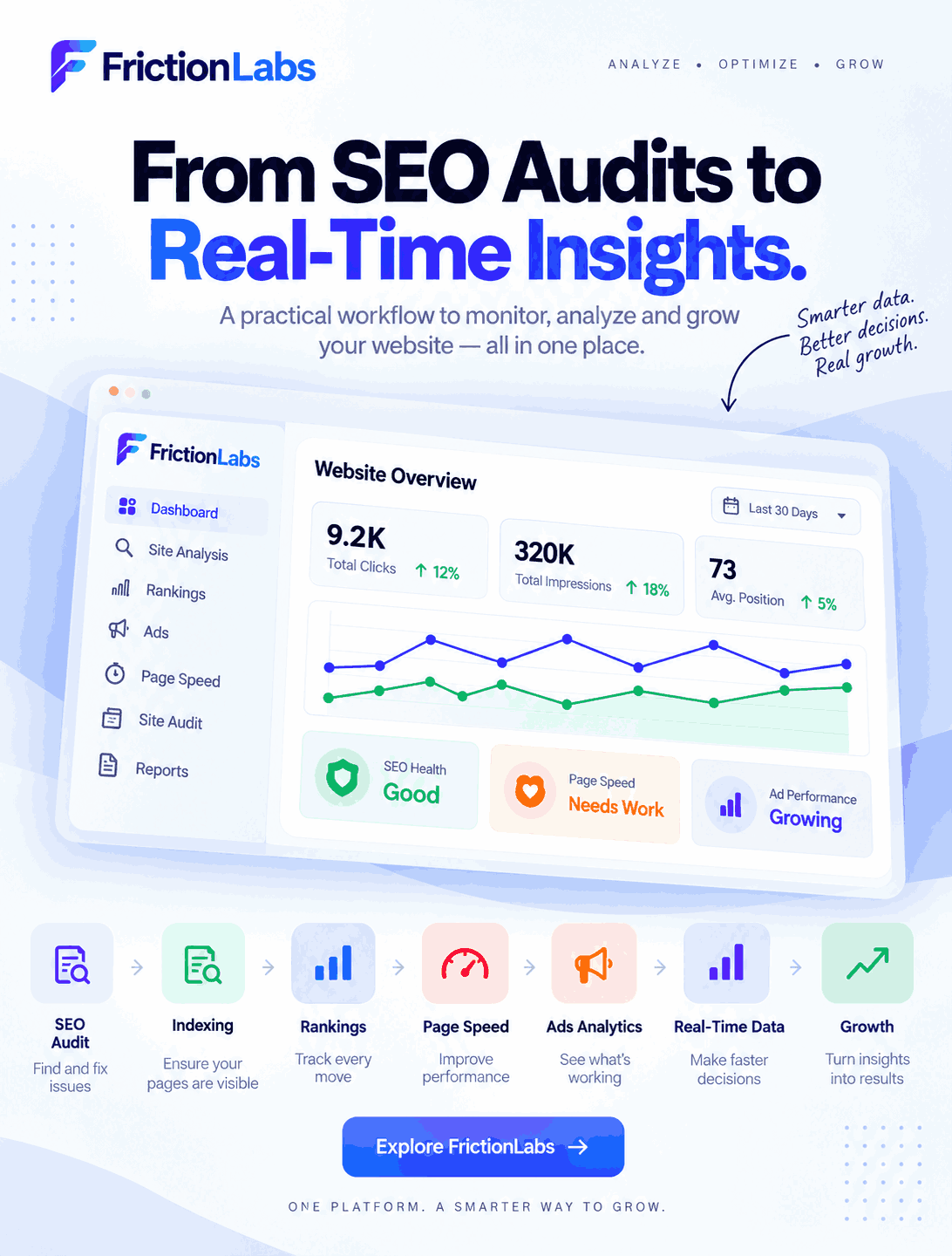
FrictionLabs brings these important website and marketing insights into a connected workflow, helping businesses move from identifying problems to understanding performance and taking action.
Its platform includes capabilities such as technical site analysis, keyword performance monitoring, advertising intelligence, audience insights and automated monitoring.
Here is how that workflow can work.
1. Start With an SEO Audit
Before improving website performance, you need to understand what is already happening.
An SEO audit provides a starting point for identifying technical and on-page issues that may affect how a website performs in search.
Common areas to investigate include:
- Missing or incorrect metadata
- Technical SEO issues
- Broken links
- Website structure
- Indexing problems
- Page performance
- Content-related issues
- User experience problems
The purpose of an audit isn't simply to create a long list of errors.
The real objective is to identify which issues need attention and what should be improved first.
FrictionLabs' platform includes a Site Analyzer designed for deep diagnostics around technical SEO performance.
2. Check Whether Important Pages Are Indexed
A website can contain excellent content, but search visibility still depends on search engines being able to discover and index the relevant pages.
That's why indexing should be part of an ongoing SEO workflow.
Businesses can review important pages and look for potential indexing issues before moving on to other optimization activities.
This is particularly useful when a website frequently adds:
- New service pages
- Product pages
- Blog posts
- Landing pages
- Campaign pages
- Location pages
Instead of assuming that every published page is automatically visible in search, indexing should be treated as something worth monitoring.
This creates the next step in the workflow:
Audit → Check indexing → Identify issues → Take action.
3. Track Every Ranking Change
Once important pages are accessible to search engines, the next question is:
How are they performing in search?
Keyword tracking helps businesses understand how their visibility changes over time.
FrictionLabs includes Rank Radar, which is positioned for real-time keyword performance analysis.
Rather than looking at rankings only occasionally, businesses can monitor changes and investigate movements.
For example, a ranking change could lead to further questions:
- Which keyword changed?
- Which page is ranking?
- Did the position improve or decline?
- Has the page recently been changed?
- Are there technical issues?
- Has search intent changed?
- Is the content still answering the user's query effectively?
This turns rank tracking into an ongoing optimization process rather than a simple reporting activity.
4. Monitor Page Speed and Core Web Vitals
Search visibility is only one part of the website experience.
Once users arrive, website performance matters too.
Slow-loading pages can create friction and make it harder for visitors to interact with important content, forms, products or calls to action.
That's why page speed should be monitored alongside SEO.
Key performance areas can include metrics such as:
- Loading performance
- Largest Contentful Paint
- First Contentful Paint
- Interaction responsiveness
- Cumulative Layout Shift
- Mobile performance
- Desktop performance
FrictionLabs describes continuous monitoring that includes tracing page-speed histories alongside other website checks.
The important part is not simply seeing a performance score.
It is understanding what changed, why it changed and what should happen next.
5. Analyze Your Advertising Performance
Organic search is only one part of digital marketing.
Many businesses also depend on paid campaigns to generate traffic, leads and sales.
This creates another important layer of data: advertising performance.
FrictionLabs includes a Meta Ads Analyzer for AI-based advertising intelligence and an Audience Finder designed to identify high-intent audience clusters.
Connecting website and advertising insights can help businesses think beyond individual channels.
For example:
Website data → Audience insights → Campaign targeting → Ad performance → Website behaviour
Instead of looking at advertising and website performance as completely separate activities, marketers can evaluate them as parts of the same customer journey.
6. Bring Your Website Data Together
One of the biggest challenges for marketing teams is fragmented data.
SEO information may be in one platform.
Rankings may be in another.
Website performance may be somewhere else.
Advertising data may have its own dashboard.
When information is scattered, it becomes harder to understand the bigger picture.
This is the problem behind the latest FrictionLabs content series:
Your website generates a lot of data. The value comes from connecting that data and turning it into useful decisions.
FrictionLabs positions its platform as a unified workspace that watches, records, measures and helps identify what needs attention.
7. Use Real-Time Insights Instead of Waiting for Reports
Digital performance can change quickly.
Rankings move.
Pages become slower.
Technical issues appear.
Campaign performance changes.
Users interact differently with a website.
Waiting until the end of the month to discover these changes can delay action.
FrictionLabs supports continuous automated checks, including more than 40 critical page checks, page-speed history tracking, competitor benchmarking, interactive heatmaps and session replays. These checks can be scheduled daily, weekly or monthly.
The result is a more proactive approach:
Monitor → Detect → Analyze → Fix → Measure Again
That is the practical workflow behind effective ongoing website management.
8. Turn Data Into Better Content
The same workflow also becomes increasingly relevant as search evolves.
Traditional SEO focuses heavily on rankings and search visibility. However, users are increasingly interacting with search through longer questions, conversational queries and AI-powered experiences.
This makes AEO (Answer Engine Optimization) and content designed to be clearly understood by LLM-based systems increasingly relevant to content teams.
The fundamentals remain simple:
- Answer questions clearly
- Use descriptive headings
- Explain concepts directly
- Match content with search intent
- Organize information logically
- Use relevant entities and terminology
- Keep important information easy to understand
- Avoid unnecessary keyword repetition
The goal should not be to write content simply for an algorithm.
The goal is to create useful, understandable and well-structured information for people, while making the page easier for search and AI systems to interpret.
9. From Data to Action
Collecting data is not the final objective.
The real value comes from what you do with it.
Imagine a simple workflow:
Step 1: An SEO audit identifies an issue.
Step 2: Indexing data shows whether important pages are discoverable.
Step 3: Rank tracking shows how search visibility is changing.
Step 4: Page-speed monitoring identifies performance problems.
Step 5: Advertising data shows how campaigns are performing.
Step 6: Real-time monitoring highlights new changes.
Step 7: The team prioritizes the most important actions.
Step 8: Performance is monitored again after the changes.
This creates a continuous improvement loop instead of a one-time SEO project.
Why This Workflow Matters for Agencies and Small Businesses
For agencies, the challenge becomes even larger because multiple websites and campaigns may need to be monitored simultaneously.
FrictionLabs states that agencies and freelancers can manage multiple client websites through individual project configurations within a single account hub.
For small businesses, the benefit is having a clearer process for understanding what is happening across their digital presence.
Instead of asking:
“Which tool should I check today?”
the better question becomes:
“What does the data tell us, and what should we improve next?”
That shift from data collection to actionable insight is what makes a connected workflow valuable.
A Practical FrictionLabs Workflow
The complete process can be summarized in seven stages:
1. Audit
Find technical and website issues.
2. Index
Check whether important pages are discoverable and indexed.
3. Track
Monitor keyword rankings and search visibility.
4. Measure
Monitor page speed, website performance and user behaviour.
5. Analyze
Review advertising and audience data.
6. Act
Prioritize issues and make improvements.
7. Monitor Again
Continue tracking performance and identify new changes.
This creates a continuous cycle rather than a one-time optimization exercise.
Final Thoughts
A modern website generates data from many different areas: search, indexing, rankings, performance, advertising and user behaviour.
The challenge is not simply collecting more data.
The challenge is understanding what the data means and turning it into action.
From SEO audits and indexing to keyword rankings, page speed, ads analytics and real-time monitoring, the latest FrictionLabs workflow shows how these areas can be viewed as connected parts of the same digital marketing process.
As search continues to evolve toward more conversational and AI-assisted experiences, businesses also need content that is clear, useful and structured for both people and modern search systems.
FrictionLabs provides a workflow built around that continuous process:
Audit. Track. Analyze. Improve. Monitor. Repeat.
And that is the foundation for building a website that doesn't simply collect traffic, but continuously improves its performance and user experience.
Frequently Asked Questions
What is a website SEO audit?
An SEO audit is a structured review of a website to identify technical, content, indexing and performance issues that may affect search visibility and website usability.
Why is keyword rank tracking important?
Keyword rank tracking helps businesses monitor how their search visibility changes over time and identify keywords or pages that may need further optimization.
What is website performance monitoring?
Website performance monitoring involves continuously checking factors such as loading speed, responsiveness and other performance signals to identify changes or potential issues.
What are Core Web Vitals?
Core Web Vitals are a group of user-experience metrics used by Google that focus on aspects such as loading performance, responsiveness and visual stability.
How can indexing affect SEO?
If important pages are not properly discoverable or indexed, they may not be eligible to appear in relevant search results. Monitoring indexing helps identify pages that may require attention.
What is AEO?
AEO stands for Answer Engine Optimization. It focuses on creating clear, useful content that directly answers questions and is structured in a way that can be easily understood by search and answer systems.
What is LLM SEO?
LLM SEO generally refers to creating content and website information that is clear and contextually structured so that large language model-based systems can better understand the subject, entities and information presented.
Why combine SEO and advertising data?
Combining SEO and advertising insights provides a broader view of digital marketing performance and can help teams understand how organic and paid activities contribute to the overall customer journey.
Can agencies use FrictionLabs for multiple websites?
Yes. FrictionLabs states that freelancers and agencies can isolate multiple client websites through individual project configurations from a single account hub.
How does FrictionLabs support continuous monitoring?
FrictionLabs describes automated monitoring that can run 40+ critical page checks, track page-speed histories, benchmark competitors, monitor interactive heatmaps and capture session replays on scheduled intervals.